The best thing I did with Claude Code this month was fix my TV
cleanyourtv strips the ads and preloaded junk off any Android or Google TV over Wi-Fi and gives it a clean, Apple TV-style home screen. I ran it on my four-year-old Mi TV. Here's what changed, and why the repo blew up.
 Hatim PatwaPublished 3 min read
On this page
My TV had become a billboard.
It's a Mi TV, about four years old. Somewhere along the way its home screen filled up with sponsored rows, "recommended for you" tiles and apps I never asked for. And it got laggy.
The usual answer to an old, slow TV is a new one. Then I found a GitHub repo that fixed mine instead.
The find: cleanyourtv
cleanyourtv does two things to an Android or Google TV:
- Switches off the junk. The ad services, the tracking and the preloaded apps you never use.
- Gives you a clean home screen. A black, Apple TV-style launcher with only your apps on it.
It does this over Wi-Fi, from your laptop, with a coding assistant like Claude Code doing the work.
The trick is that an Android TV is basically a big Android phone. It has the same debug connection phones have, so anything you can do to an Android phone from a computer, you can do to the TV.
Why it blew up
I'm late to this one. Its creator posted a before and after of their parents' TV on 17 October. That one post reached millions of views, and people started doing the same to their own TVs.
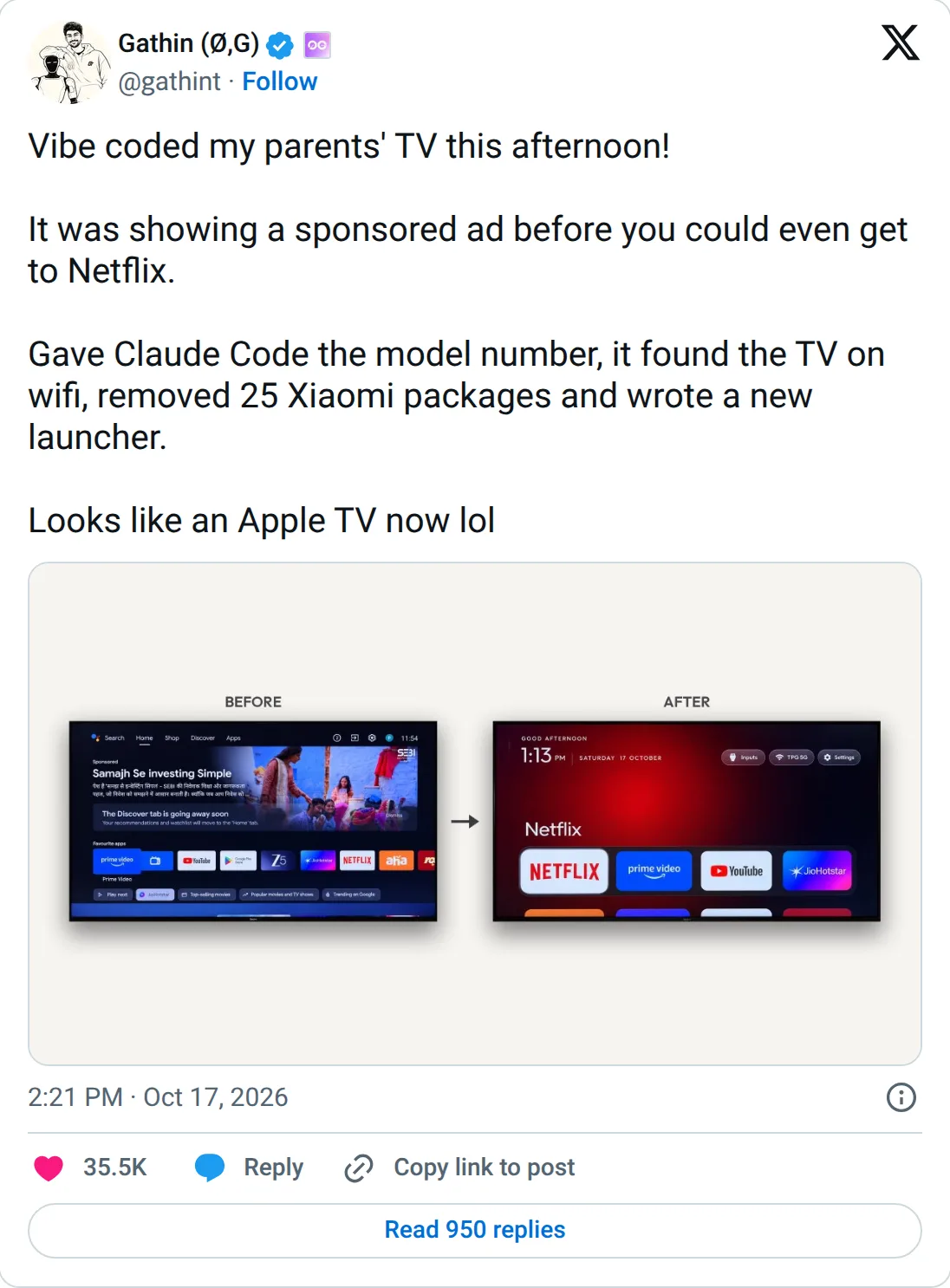 The post that started it, by @gathint on X.
Fun detail: the TV that started it all was a Xiaomi too.
Nine days later, the repo has:
- 37,000+ stars (GitHub's version of a bookmark)
- 4,400+ forks (people copying it to build on)
- #1 trending repo of the week on GitHub, 19 to 25 October
- 316 tested TV models from 89 brands, almost all added by the community
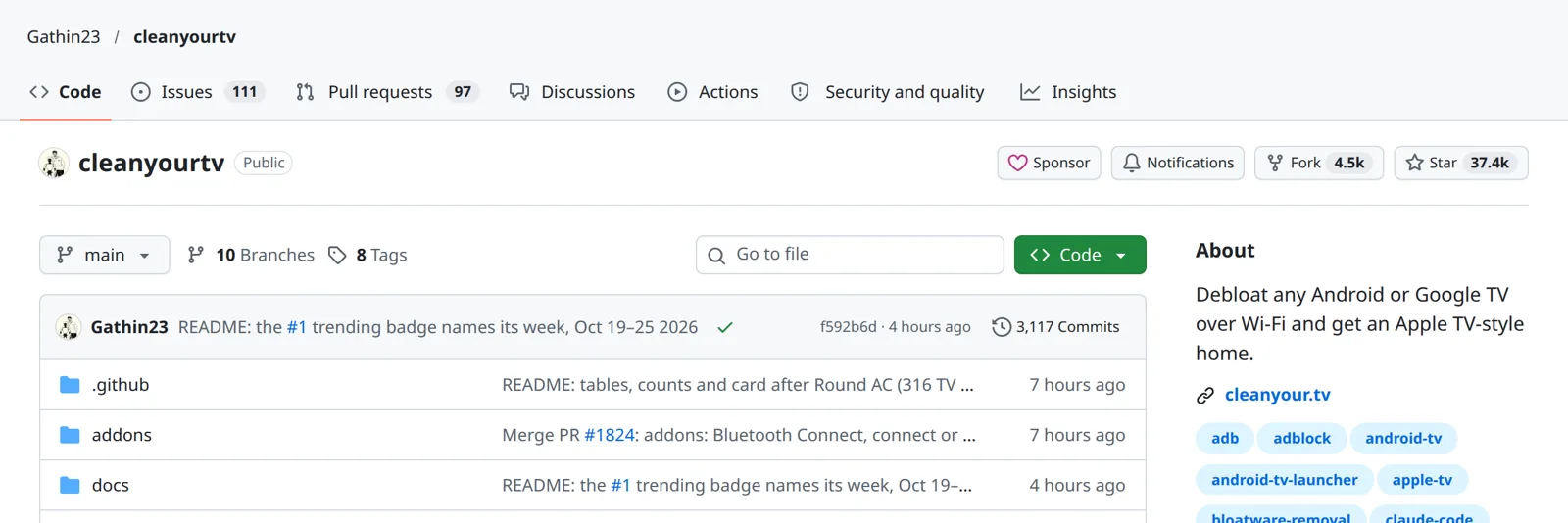 The repo on 26 October, nine days in.
That last number is my favourite. Every person who ran it added their TV to the list, so the next person with the same model has an easier time. Xiaomi alone has over 30 entries.
The README says it's been covered by around 200 articles in 32 countries. For a repo that was called tv-vibehack a week ago, that's quite a run.
What I actually did
This isn't a tutorial. The repo's quick start is short and good. But here's the shape of it:
- Turned on developer mode on the TV (press Build seven times in Settings, then switch on USB debugging).
- Cloned the repo and opened it in Claude Code on my laptop.
- Pasted the repo's prompt and told it my TV model.
- Answered its questions: which apps I use, which ones to keep on the home screen, and in what order.
Claude did the rest. It backed up the TV's settings, switched things off, built the new home screen and installed it. It even pulled screenshots from the TV to check each step worked.
The README puts it at about fifteen minutes.
What changed
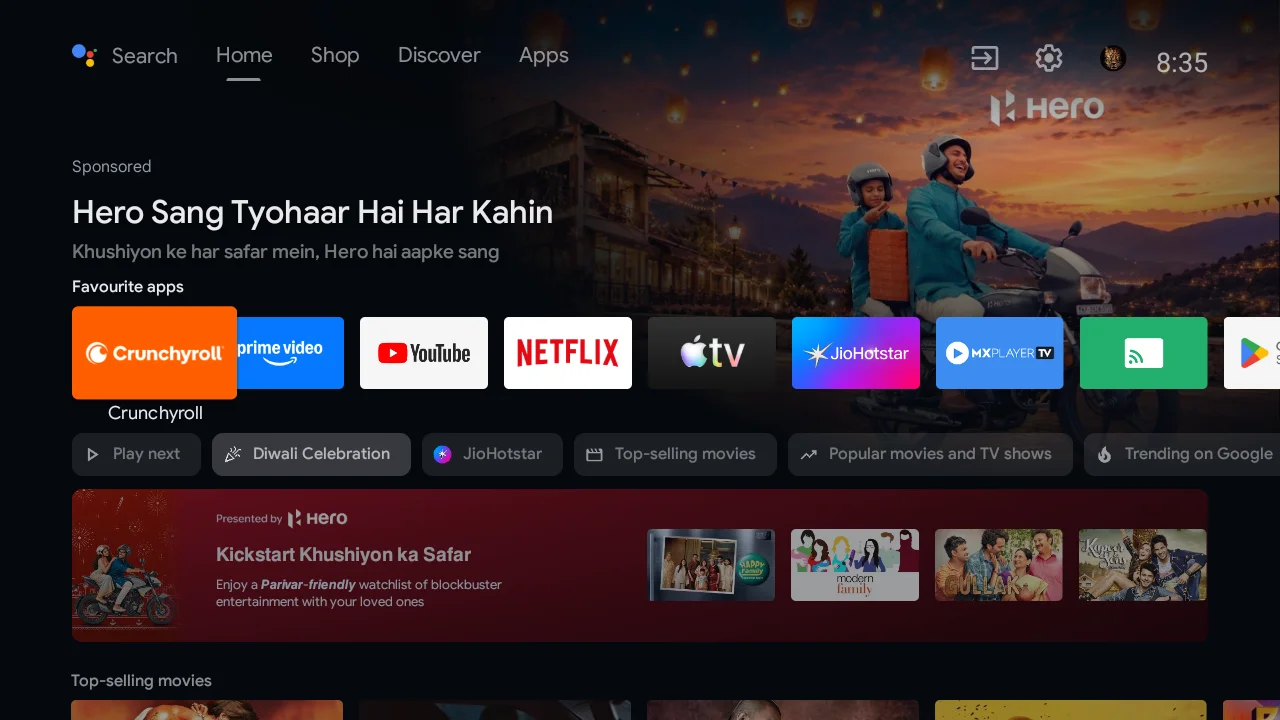 Before: more billboard than TV.
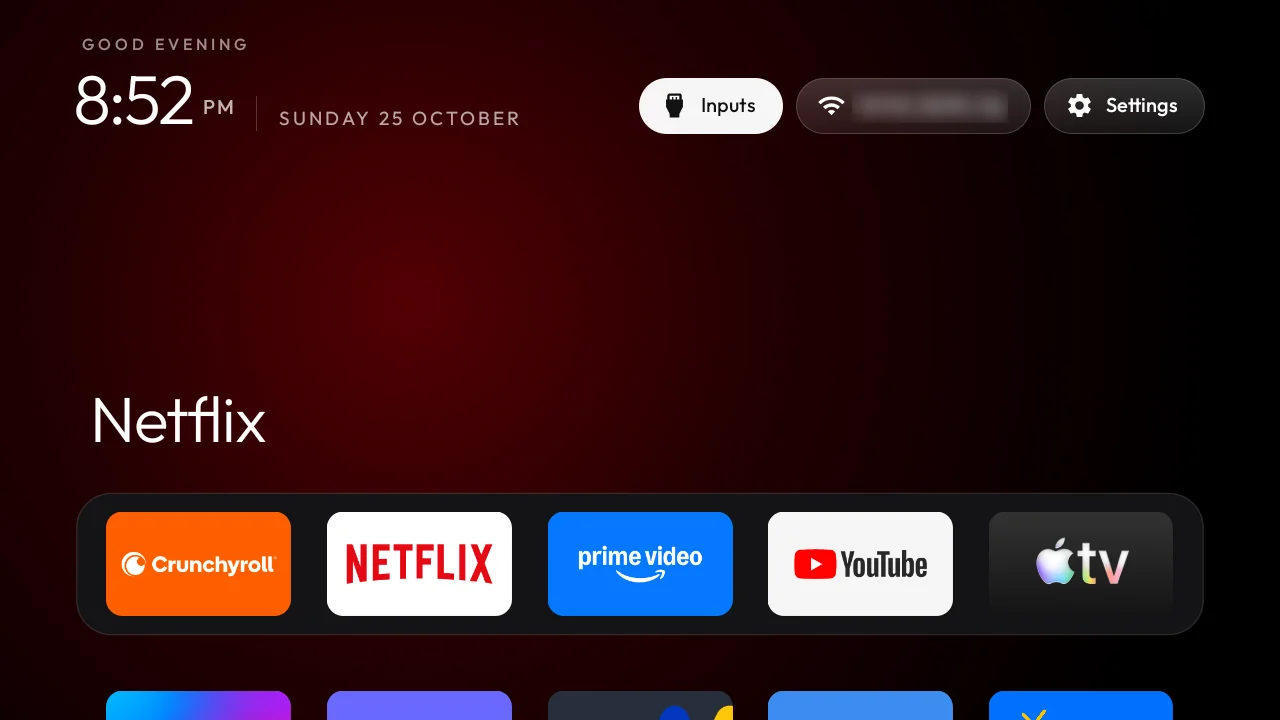 After: same TV, no ads.
No ads. No sponsored rows, no "Discover" nags, no apps I didn't ask for.
It's faster. Roughly twice as fast, going by feel. I didn't benchmark it, but the difference is obvious the moment you use it. My guess is that all that junk running in the background was eating the TV's memory.
It looks great. A black home screen, my favourite apps in a dock at the bottom, and a soft glow behind whatever's selected. It really does look like an Apple TV.
Is it safe?
This was my first question too. A few things put me at ease:
- No root. You're not hacking the TV's firmware. It's the same standard tools Android developers use every day.
- It asks first. Anything you might use, like the voice assistant or casting from your phone, is your call.
Things to know
A firmware update can undo it. Updates reinstall over the cleaned-up system, so the ads can come back. You run the check again and it fixes things up.
Switch debugging off when you're done. On some TVs, leaving it on lets any device on your Wi-Fi connect to the TV. The README covers how to close it properly.
Not every TV works. Anything on Android TV or Google TV does. Fire TV only gets the cleanup half, and Samsung and LG run different systems entirely.
Make it yours
The new home screen is easy to change without rebuilding anything:
- Themes and wallpapers, pushed to the TV with one command
- Dock size and columns, like a six-app dock in six columns
- App order, by holding OK on a tile and moving it
- Hidden apps, so the grid only shows what you use
Credit where it's due
All credit to Gathin23 for building this, and to the hundreds of people who added their TVs to the list.
What I like most about it: nobody needed a new TV. They needed someone to point an AI tool at the old one.
If you try it, I'd like to hear which TV you ran it on and how it went. Get in touch.